
YouTube is a popular video platform and it is used by millions daily.
Users watch, share, and comment on videos.
In recent years, YouTube has introduced several new features.
One such feature is Ambient Mode.
Ambient Mode changes the viewing experience.
It is designed to reduce screen glare and distractions.
This article explores YouTube Ambient Mode in detail – what it is, how to use it, its benefits, and its downsides.
We also explain the best times to use this mode.
What is YouTube Ambient Mode?

YouTube Ambient Mode is a user-friendly display feature designed to enhance the viewing experience by altering the background of the video player.
The feature automatically adjusts based on the video content, creating a soft light effect around the video.
This subtle glow is crafted to complement the video’s colour scheme, promoting a calming, immersive atmosphere.
Ambient Mode is particularly beneficial when watching videos in low-light conditions, as it helps reduce eye strain by softening the contrast between the display and the surrounding environment.
Many users appreciate how it blends seamlessly into the overall interface, providing a more aesthetically pleasing experience.
Beyond its visual appeal, Ambient Mode also improves focus, drawing attention to the content while minimising distractions.
Available to all users, this feature enhances engagement and adds a modern touch to the platform.
How to Turn On YouTube Ambient Mode
Ambient Mode is available on both desktop and mobile platforms.
To enable YouTube Ambient Mode, start by opening the YouTube app on your device or go to the website in your browser.
Desktop
- Click on your profile icon in the top-right corner.
- Select ‘Settings’ from the drop-down menu.
- Navigate to the ‘Appearance’ section.
- Locate the ‘Ambient Mode’ option.
- Toggle the switch to enable it.
- The background around the video player will now adjust dynamically based on the video content.
Mobile
- Open the YouTube app and sign in.
- Tap your profile picture in the top-right corner.
- Select ‘Settings’ from the menu.
- Scroll down to ‘General’ or ‘Appearance’.
- Find the “Ambient Mode” option.
- Toggle the switch to turn it on.
- A subtle glow will now appear around your video player.
How to Turn Off YouTube Ambient Mode
Turning off Ambient Mode is simple and can be done on both desktop and mobile devices.
Desktop
- Open YouTube and sign in to your account.
- Click on your profile icon in the top-right corner.
- Select ‘Settings’ from the drop-down menu.
- Navigate to the ‘Appearance’ section.
- Find the ‘Ambient Mode’ option.
- Toggle the switch to turn it off.
- Once disabled, the glowing background effect around the video player will be removed.
Mobile
- Open the YouTube app and sign in.
- Tap your profile picture in the top-right corner.
- Select ‘Settings’ from the menu.
- Scroll down to “’General’ or ‘Appearance’.
- Locate the ‘Ambient Mode’ option.
- Toggle the switch to turn it off.
How Does YouTube Ambient Mode Work?
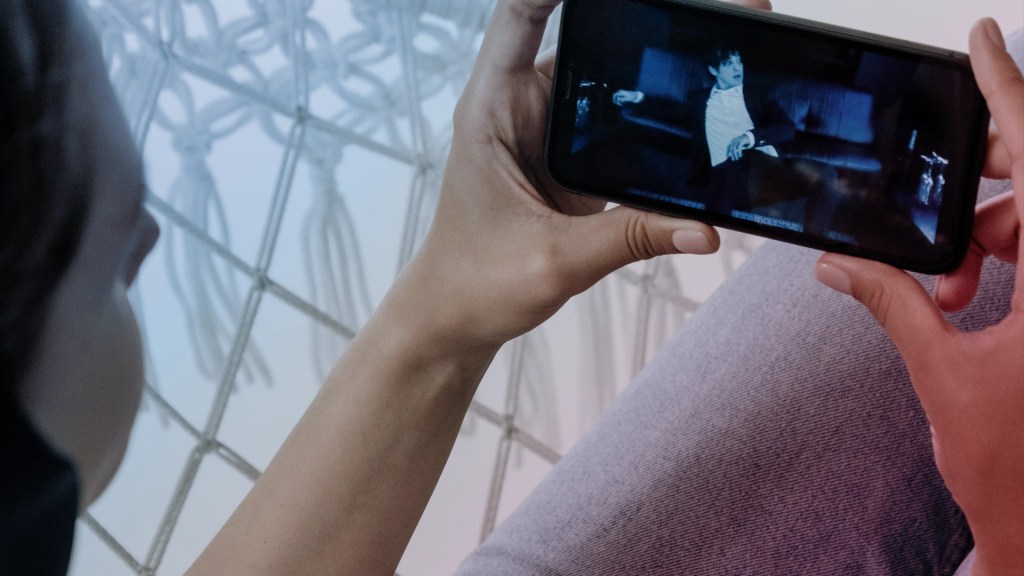
YouTube Ambient Mode automatically alters the background colour of the video player based on the video’s content.
The system extracts dominant colours from each scene and applies them around the video, creating a subtle, ambient glow.
This dynamic effect is achieved using real-time colour matching and averaging techniques.
The processing occurs swiftly and continuously, adjusting the background as scenes change.
The feature leverages GPU acceleration for smooth performance and precise colour computation.
It reduces visual contrast between the video and its surroundings, minimising eye strain during long viewing sessions.
The overall result is a more immersive and aesthetically pleasing experience.
YouTube Ambient Mode integrates advanced software and hardware optimisation to deliver accurate colour effects in real time.
What are the Benefits to Using YouTube Ambient Mode?

YouTube Ambient Mode is a feature that adjusts the background colour of the video player.
This mode offers several advantages for viewers.
Reduced Eye Strain
Ambient Mode softens the contrast between the bright video and dark surroundings.
This reduction in glare helps decrease eye strain.
Viewers enjoy a more comfortable experience during long sessions, especially in low-light conditions.
Enhanced Immersion
The dynamic glow produced by Ambient Mode creates a more immersive viewing experience.
It subtly reflects the colours of the video content, drawing viewers deeper into the experience.
This added visual effect makes watching videos more engaging and enjoyable.
Customised Viewing Experience
Ambient Mode adapts in real time to the video’s colours.
This customisation creates a unique ambience for every video.
Users benefit from a tailored environment that enhances their overall satisfaction and makes the content feel more personal.
Improved Aesthetics
The ambient lighting adds a modern, stylish touch to the YouTube interface.
It transforms the standard video player into a visually appealing space.
This aesthetic enhancement can elevate the quality of your viewing experience.
Better Low-Light Performance
Ambient Mode is particularly beneficial when watching in dark rooms.
It minimises harsh contrasts and reduces overall brightness.
This makes it easier on the eyes and creates a smoother transition between the screen and the surrounding environment.
What are Some of the Downsides to YouTube Ambient Mode?
While YouTube Ambient Mode brings some great benefits, it can have some drawbacks that affect the viewing experience.
Limited Effectiveness
Ambient Mode is subtle by design.
For some users, the effect is barely noticeable.
In well-lit environments, it may not provide any benefit and limits its usefulness.
Some viewers may not see the intended improvement in comfort or immersion.
Potential Distractions
The dynamic background effect can distract viewers.
Shifting colours might draw attention away from the video. Instead of enhancing focus, the glow can interfere with content.
This distraction can lower the overall viewing experience.
Increased Resource Usage
Ambient Mode uses extra processing power.
On mobile devices, it may consume additional battery.
Older devices might experience slower performance.
This extra load can lead to lags during long viewing sessions.
User Preference Variability
Not all users enjoy extra visual effects.
Some prefer a standard, uncluttered interface.
For these viewers, Ambient Mode might feel unnecessary.
The change in aesthetics may not appeal to everyone.
This variability means the feature is not universally liked.
Compatibility Issues
Some older browsers or devices may not support Ambient Mode well.
This can cause glitches or visual errors. Inconsistent performance may affect the user experience.
Users with older technology might find the feature unreliable.
What Are the Best Times to Use YouTube Ambient Mode?

Some of the best times to use YouTube Ambient Mode are:
Low-Light Conditions
Ambient Mode is ideal when watching videos in a dimly lit room.
The soft glow around the video player reduces eye strain, preventing discomfort caused by bright contrasts.
It creates a smoother transition between the video and the screen’s edges, making the experience easier on the eyes.
Movie and TV Shows
If you’re watching movies, TV shows, or cinematic content, Ambient Mode enhances the overall experience.
It creates a theatre-like effect by subtly blending the video with the screen’s surroundings.
This effect makes the visuals feel more immersive, especially for high-quality films, action sequences, and dramatic scenes.
Music Videos
Music videos and visualiser-style content benefit from the dynamic lighting effects of Ambient Mode.
The shifting background colours enhance the mood of the video, making it feel more vibrant.
This is particularly effective for genres like electronic, pop, and ambient music.
ASMR Content
ASMR, meditation, and relaxation videos pair well with Ambient Mode.
The subtle background glow helps create a calming atmosphere, reducing distractions.
This enhances the soothing effect of whispered speech, nature sounds, and soft visuals, making the content more enjoyable.
Gaming and Tech Videos
Gamers and tech enthusiasts can benefit from Ambient Mode, especially when watching gameplay footage or product reviews.
The soft lighting effect highlights vibrant colours and detailed visuals, making fast-paced action, futuristic designs, and high-resolution graphics stand out.
This makes gaming videos feel more immersive and visually appealing.
Conclusion
You should now have an understanding of exactly what YouTube Ambient Mode is.
YouTube Ambient Mode is a modern feature designed for improved viewing comfort.
It adjusts the video player’s background to create a soft, dynamic glow.
This reduces eye strain and enhances immersion.
The mode is simple to enable and disable on both desktop and mobile devices.
While the benefits are significant, some users may find the effect too subtle or distracting.
It works best in low-light environments.
Ultimately, Ambient Mode adds a touch of elegance to the YouTube experience.
Whether you use it regularly or occasionally, it offers a new way to enjoy your videos.
Explore Ambient Mode and see how it can transform your viewing habits.
For more information, or help with any and all of your digital marketing needs, get in contact with us here at Neon Atlas.

 Neon Atlas Digital Marketing
Leave a comment